I’ve been working with video or photo for nearly 20 years. Only in the past year have I stretched my thinking and abilities to see how my visual storytelling skills can stretch across to other mediums.
Animation has scared me because I don’t feel like that is my artistic calling. That’s coming from a place of growing up with Disney and Looney Tunes excellence. Even in the digital age special care and attention is needed for animation.
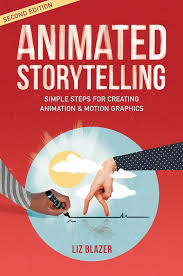
Liz Blazer writes in her book, Animated Storytelling, Simple Steps For Creating Animation & Motion Graphics, “ Start by animating your project’s ‘lowest hanging fruit,’ that is , the most fun, short, and easy-to-animate scene you’ve got. Approaching your easiest sequences first will get you moving forward, and most importantly will help build your confidence at a time when you may be filling uneasy.”
Blazer goes on to suggest breaking up the tough scenes to make things less intimidating. Also, it’s normal to work a whole day for a shot that is just a few seconds long.
She then writes about movements and the character’s poses, following through on the action, and directional movement.
The section I appreciate the most is her emphasis on sounds and timing the animation with the music. I love seeing when animation and music are in perfect sync, that adds to much more to production.
Here are some examples of various user interface animations
I really like this because it uses both lighting cues and audio prompts to signal where the action is on screen. That in turn opens the window for other features. Plus it looks very futuristic, which is pretty cool looking.
This one looks more like a promotional hype display than a user interface demonstration. There looks like there could be some cool features on here, but they just skim over without showing anything off.
This one looks like a really good animation, but not a user interface. From an animation standpoint it looks fantastic, but I don’t see any user interaction.
I really enjoy this video as an example of a user interface, because I can see the mouse move into frame and click on a button within the page. This looks sharp and shows me what I can expect when using this site.
I really like this one because this was my first idea for my project. Ok, maybe not to the expert skill level as this, but starting with a login and moving into the site. I like the transitions into the site along with the sound effects adds to a good user experience.
I had grand vision for what I wanted my user interface to look and feel like. Then life hit me in the face and I realized I didn’t have the time to se my first vision come to life. I simplified the idea down to just a few simple movements and animations to enter.
 JD Photography
Leave a comment